
While I was at it, I thought I might as well blog about it. In the situation you need to dismantle an Exchange 2010 DAG member, proceed as follows:
- Start up Exchange Management Console (ofcourse you can do this from the Exchange Management Shell as well, but in this example I’ll use EMC);
- Go to Organization Configuration > Mailbox > Database Management;
- Select the database where ” Mounted on Server” reads the server you’re decommissioning;
- Select Move Active Mailbox Database;
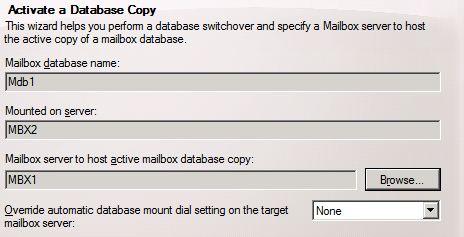
- Select the Mailbox server to host the mailbox database copy and select Move;
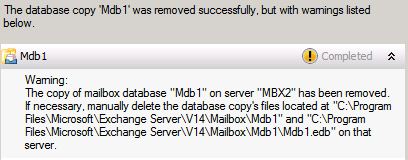
- When the move has finished, select the database copy hosted on the server you want to decommission in the lower pane. There, select Remove.
- When finished you’re greeted with a warning message. That is because the copy has been removed, but the files are still present. Remove them manually when required;

- Next, we need to remove the server from the DAG. Select tab Database Availability Groups;
- Select the DAG the server is a member of and select Manage Database Availability Group Membership;

- Select the server and click the red cross to remove it from the list. Click Manage to proceed with the actual removal;
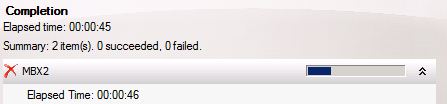
- When finished the mailbox server is no longer member of the DAG.



You can then proceed with uninstalling Exchange. Note that you can only remove DAG members of a healthy DAG.
 EighTwOne (821)
Pingback: ManageScheduledTask.ps1 issue uninstalling Exchange « EighTwOne (821)
Thank you. For those with a CAS and HUB together be sure to follow these steps too http://www.butsch.ch/post/Exchange-2010-error-while-you-try-to-UninstallChange-HUB-Rolle.aspx
LikeLike