The 11th episode of The UC Architects is online. The UC Architects is a bi-weekly podcast on Unified Communications in the Microsoft domain, i.e. Exchange and Lync, or related subjects.
This episode is hosted by Pat Richard, who’s joined by Ståle Hansen, Johan Veldhuis, Dave Stork and yours truly. Special guests are Lync MCM Kevin Peters and Lync MVP Matt Landis.
Amongst the topics discussed in this episode are:
Lync 2010 Cumulative Update 7 (CU7, October 2012);
Lync VDI, SBA, SBC;
Availability of Wave 15 products for MSDN/TechNet and Volume license customers;
On October 31st, the NGN – a Dutch society for IT professionals – held its 3rd Exchange themed event, this time at The Reehorst in Ede (NL). Because of the recently released Exchange 2013 and all the news and related questions, we planned for a whole day of sessions and it was nice to see the turn up was nearly 100 IT professionals.
Since all people would still be on pre-2013 versions of Exchange, I figured a presentation using real-world Exchange 2010 Tips and Tricks might be more appropriate. I was glad a quick poll amongst the attendees showed a significant increase in Exchange 2010 deployments (around 80%) when compared to last year’s event, but as expected there’s still some Exchange 2007 and few Exchange 2003 out there.
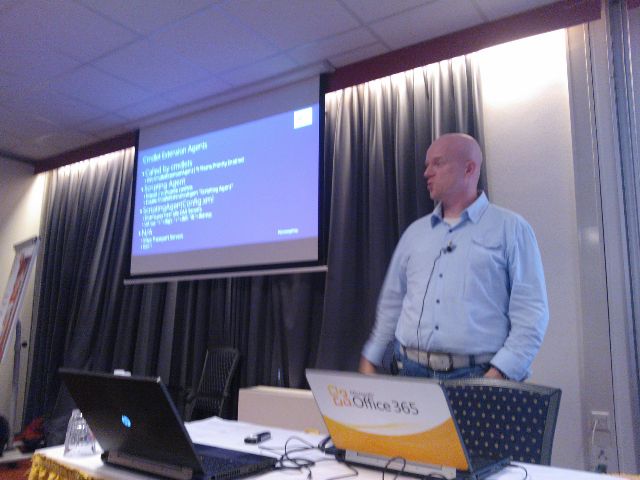
I decided to stick with two deep-dive topics, which were Message Trackings Logs and Cmdlet Extension Agents. On those topics I went from basics to more advanced examples, hoping it would ignite people with no experience and people with experience could still pick up a thing or two.I’m still waiting for evaluation results, the only way to get feedback from these sessions apart from the occasional e-mail or tweet.
(picture by Dave Stork)
You can find my presentation here (partially Dutch) and the accompanying sample script on Message Tracking Logs here and the one on Cmdlet Extension Agents here (script); the ScriptingAgent.xml file can be downloaded here.
As always, these events are also a time to catch up with fellow Exchange people and discuss topics with attendees during the breaks. There were even Exchange fellows present who didn’t have a session, like Johan Veldhuis (MVP) and Maarten Piederiet (MCM); they did join in on the Q&A Panel.
The sessions and speakers were:
Introduction (Jaap Wesselius, MVP)
Building with Exchange 2013: Architecture (Dave Stork)
Exchange and Virtualisation (Jetze Mellema)
Exchange 2010 Tips & Tricks (Ashley Flentge, MCM & Michel de Rooij)
Exchange 2013 Coexistence and Migrations (Kay Sellenrode, MCM and MCA)
Exchange and Load Balancing (Jetze Mellema)
Q&A Panel
The NGN published all presentations in a single ZIP file which can be downloaded here. Unfortunately, NGN didn’t record the sessions so I can’t share those with you. They did record the Q&A Panel session; you can view it here (in Dutch):
PS: When you see references to “exchangedag”, like in the Twitter hashtag, you need to know “dag” means day in Dutch; it’s no form of professional deformation.
If you’ve got a TechNet or MSDN subscription, you can get the RTM bits of Exchange Server 2013, Lync Server 2013, Office 2013 Professional Plus and Sharepoint 2013 NOW!
With the RTM bits available, you can start testing the product itself as well as compatibility with 3rd party products or in-house developed solutions. Be advised that a schema update is required to support Exchange Server 2013.
Finally, the updates for Exchange Server 2007 and Exchange Server 2010 required for co-existence are still not available. Exchange 2010 SP3 is expected first half of 2013; no details have been disclosed on the update for Exchange Server 2007.
Since the release of iOS6, several issues have been identified with this version when used in conjunction with Exchange:
Meeting Request where the device user becomes the meeting organizer, which can potentially enable attendees to cancel the meeting for everyone invited. This issue has been documented in KB2768774;
Autodiscover not working properly when the e-mail address doesn’t match the user’s UPN.
The Exchange Team published an article where they mentioned several suggestion to “mitigate” the issue; mitigate is quoted here, because some of the suggestions mentioned are in my opinion non-options in a corporate environment, like the suggestion to switch to IMAP/POP. Not only does that remove calendaring functionality, it’s also a lot of work and hassle for end users for the – I expect – short period before we see an iOS update from Apple, after which people can go back to using Exchange ActiveSync again.
How to deal with this issue in the – relatively short – period between now and the iOS 6 fix, depends on the risk your organization is willing to take. When you’re not willing to take any chances, you can block IOS 6 devices using Exchange’s Allow/Block/Quarantine (ABQ) feature or blocking them on the Reverse Proxy level, e.g. ISA or TMG; more information on how to accomplish the latter here. While being a rather draconic measure, it might prove a better temporary measure when compared to the suggestion to ask end users not to take action on calendars in iOS, which could be an accident waiting to happen.
As a more user friendly solution, I’ll gladly bring to your attention a script created by UC Architects fellow Steve Goodman, which can collect information on current iOS users in your environment. Then, with this information, you can selectively pick out iOS 6 devices and communicate the issues with their users until a fix is released. You can get the script here.
Note that there are reports of Apple currently testing IOS 6.0.1 and it is rumored the Meeting Request fix will be included.
Update, November 1st, 2012: Apple released IOS 6.0.1 which fixes the meeting request issue amongst other things (but not the Autodiscover issue). Update your IOS device Over The Air or using iTunes.

 The 11th episode of The UC Architects is online. The UC Architects is a bi-weekly podcast on Unified Communications in the Microsoft domain, i.e. Exchange and Lync, or related subjects.


 EighTwOne (821)