Forefront TMG 2010 SP2 Rollup 4


ForeFrontA short blog on the release of Rollup 4 for Microsoft Forefront Threat Management Gateway (TMG) 2010 Service Pack 2 (KB2870877).

Changes in this update:

  • 2889345 Accounts are locked out beyond the AccountLockoutResetTime period in Forefront Threat Management Gateway 2010 SP2
  • 2890549 Incorrect Performance Monitor values when queried from a .NET Framework app in Forefront Threat Management Gateway 2010
  • 2890563 “URL” and “Destination Host Name” values are unreadable in the web proxy log of Forefront Threat Management Gateway 2010
  • 2891026 Firewall Service leaks memory if Malware Inspection is enabled in Forefront Threat Management Gateway 2010
  • 2888619 A password change is unsuccessful if a user’s DN attribute contains a forward slash and an Active Directory LDAP-defined special character in Forefront Threat Management Gateway 2010
  • 2863383 “Query stopped because an error occurred while it was running” when you run a non-live query in Forefront Threat Management Gateway 2010 SP2
  • 2899720 Threat Management Gateway 2010 incorrectly sends “Keep-Alive” headers when it replies to Media Player WPAD file requests
  • 2899716 Firewall service (Wspsrv.exe) crashes when a web publishing request is handled in Forefront Threat Management Gateway 2010
  • 2899713 Access to certain SSL websites may be unavailable when HTTPS Inspection is enabled in Forefront Threat Management Gateway 2010

This again shows TMG isn’t “dead” since it received it’s End-of-Life status.. yet. Note that TMG support will end on April 14th, 2015 and extended support will end on April 14th, 2020.

You can request Forefront TMG SP2 RU4 directly from support here.

Exchange 2010 SP3 Rollup 3


Exchange 2010 LogoToday the Exchange Team released Rollup 3 for Exchange Server 2010 Service Pack 3 (KB2891587). This update raises Exchange 2010 version number to 14.3.169.1.

Here’s a list of fixes contained in this Rollup:

    • 2715761 “550 5.6.0” NDR when you send a yearly recurring meeting request in an Exchange Server 2010 environment
    • 2839533 RPC Client Access service freezes in an Exchange Server 2010 environment
    • 2840454 “The rules on this computer do not match the rules on Microsoft Exchange” error when you manage rules by using Outlook 2013 in an Exchange Server 2010 environment
    • 2874070 Public folders are exposed although the user does not have rights to see the parent folders in an Exchange Server 2010 SP3 environment
    • 2878175 Client Access server crashes when you use Outlook with a Riverbed WAN optimizer in an Exchange Server 2010 environment
    • 2879320 Retention action setting is not updated in FAI items by running the Set-RetentionPolicyTag cmdlet in an Exchange Server 2010 environment
    • 2879736 Office 365 users cannot retrieve an on-premises user’s free/busy data in an Exchange Server 2010-based hybrid deployment
    • 2880153 RPC Client Access Service crashes if Outlook is in online mode in an Exchange Server 2010 environment
    • 2880290 RPC Client Access service crashes when you use Outlook in ANSI online mode in an Exchange Server 2010 environment
    • 2882467 RPC Client Access service stops if Outlook is in online mode in an Exchange Server 2010 environment
    • 2882677 BlackBerry device is not redirected in an Exchange Server 2010 environment
    • 2886469 EAS client receives status code 8 during synchronization in an on-premises Exchange Server 2010 environment
    • 2886567 “Objects added to a BindingSource’s list must all be of the same type” error message when you add an additional domain name in Exchange Server 2010 SP3
    • 2887574 RPC Client Access service freezes when your mailbox reaches the quota limit in an Exchange Server 2010 environment
    • 2888406 Mailbox Replication service crashes when you try to move mailboxes in an Exchange Server 2010 environment
    • 2888906 Events 1000, 4999, and 9775 are logged when Store.exe crashes on an Exchange Server 2010 SP3 Mailbox server
    • 2888911 W3wp.exe crashes when you decline a meeting request by using Outlook Web App or an EWS application in an Exchange Server 2010 environment
    • 2890650 Items in the Drafts folder are not stamped with the retention policy tag in an Exchange Server 2010 or 2013 environment
    • 2891194 Exchange ActiveSync devices are marked as “Blocked” in EMS and EMC when the devices are synchronizing with the Exchange Server 2010 server
    • 2892337 Outlook client freezes when you try to sort email folders by columns in an Exchange Server 2010 environment
    • 2893437 Delegate can read your AD RMS protected messages by using Outlook Web App in an Exchange Server 2010 environment
    • 2896304 Background image is displayed incorrectly in an email message when a disclaimer rule is enabled in an Exchange Server 2010 environment
    • 2899146 You cannot drag email messages to other folders by using Outlook Web App in an Exchange Server 2010 environment

As of Service Pack 2 Rollup 4, its no longer required to disable/re-enable ForeFront Protection for Exchange using the fscutility to be able to install the Rollup properly. However, if you want to remain in control, you can disable ForeFront before installing the Rollup using fscutility /disable and re-enable it afterwards using fscutility /enable.

If you want to speed up the update process for systems without internet access, you can follow the procedure described here to disable publisher’s certificate revocation checking.

If you got a DAG and want to properly update the DAG members, check the instructions here.

As with any Hotfix, Rollup or Service Pack, I’d recommend to thoroughly test this rollup in a test and acceptance environment first, prior to implementing it in production.

You can download Exchange 2010 SP3 Rollup 3 here.

MVP Global Summit Wrap-Up


Today is the day I returned from my inaugural MVP Global Summit 2013, the one often being tagged the November edition as there were two summits this year. Apart from some discomforts like back issues and jetlag, the summit lived well up to my expectations of being the place to meet fellow (Exchange) MVPs, engage product groups and with regards to the contents presented or discussed (which for obvious reasons I can’t disclose as they are under NDA). Only thing I can mention on the sessions is that the last panel discussion was hilarious as the MVPs turned it into a drinking game where all MVPs took a sip of their beverages when a PG member mentioned “That is great feedback” or “Yammer”. Epic.

The summit was well organized, hotels were great and relatively close to each other and transportation frequent from the hotel to the summit locations on Microsoft campus. Evenings were filled by regional or global events for meeting people or catching up while enjoying food and drinks. The closing party was held in the Seattle Aquarium with great people, good food, music, the Bumbys, caricature drawing, seals and a ferris wheel. And for some reason, all my evenings always ended up with the Exchange and Lync MVPs at the infamous Joey’s. Good times.

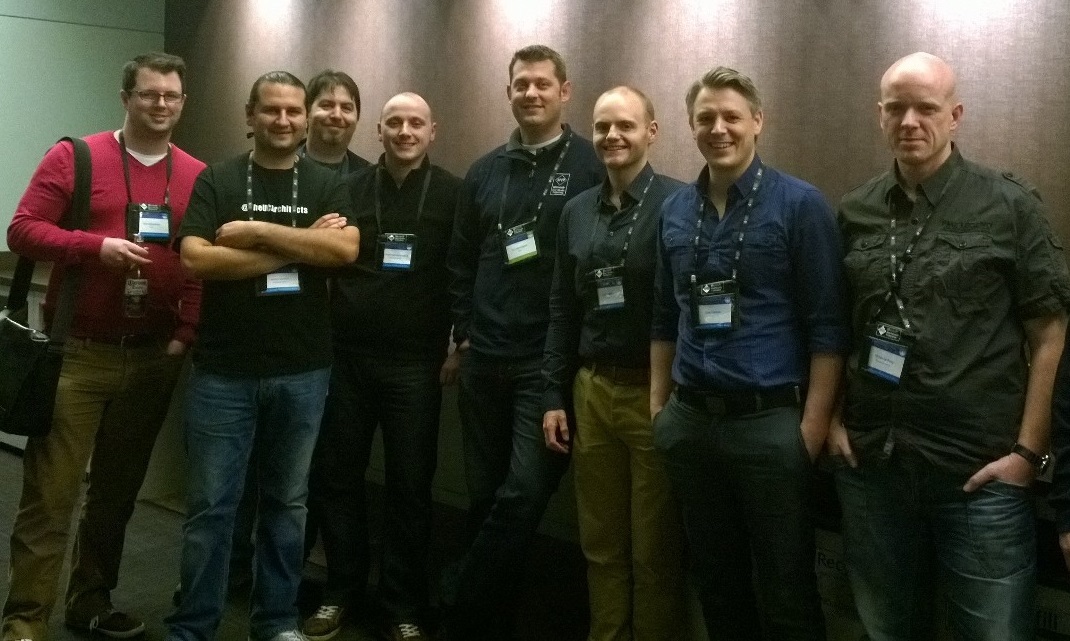
MVP Global Summit 2013 UCA

Being one of The UC Architects contributors, I got to meet some of the fellows in real life, like Michael van Hoorenbeeck, Serkan Varoglu (and the missus), Pat Richard, StĂĄle Hansen, Tim Harrington and Tom Arbuthnot. Other people I got to meet or catch up with – I’ll probably forgot a few – were people like Jeff Guillet, Jason Sherry, Paul Robichaux, Magnus Björk, Siegfried Jagott, J. Peter Bruzzese, Justin Morris, Norbert Klenner, Johan Delimon, Didier van Hoye, Peter de Tender, Ken Lasko, Damian Scoles and Martina Miskovic; the latter two being a first time MVP as well, like myself.

Provided I get re-awarded in October and depending on when it wil take place, I am really looking forward seeing my old and new friends again at the next summit. But first things first, I hope to catch up with some of them at MEC 2014 in March/April, 2014. For now, a big thank you to the MVP Award program, the MVP Global Summit organization, my MVP lead for Benelux and Nordics, William Jansen, and last but not least the product groups for providing great content, interaction and finding time to engage with MVPs.

Note that while I was at the summit, Microsoft announced that Exchange 2013 Service Pack 1 is set for early 2014. It will be part of cross-product SP1 release, as Office 2013 SP1 was also announced for the same timeframe. Major changes to expect in Exchange 2013 SP1, besides the usual fixes and improvements, are support for Windows Server 2012 R2 and Edge server role; the latter being especially of interest to shops who want to standardize on Windows Server 2012 R2 as they will then be able to deploy all Exchange roles using the same OS.

MVP Summit November 2013


image

With receiving the MVP Award in October comes one of the benefits I’ve been looking forward to, should I ever receive it: the opportunity to attend the MVP Global Summit. My employer understands the value of these events and gave their approval, as it takes a week out of my busy schedule. So on November 17th I’ll be on my way to Seattle–Tacoma International Airport for my inaugural MVP Global Summit.

The event is held in Bellevue and at the Microsoft HQ in Redmond, Washington State, from November 18th to November 21st. The previous MVP Global Summit held in February, 2013, was attended by around 1,400 MVPs; worldwide there are around 4,000 MVPs in around 90 countries.

It will be great opportunity from a learning as well as a networking perspective, as you not only get to participate in in-depth sessions on the current and future versions of your product, but also get to meet the other “rock stars” and Microsoft employees from Product Groups as well.

Unfortunately, the event and all disclosed information or discussions are under strict NDA, so don’t expect me to post or tweet anything disclosed at the event.

For those MVP readers also attending the summit, see you there!

The UC Architects Podcast Ep30


iTunes-Podcast-logo[1]We’re glad to announce the availability of episode 30 of The UC Architects podcast.

This episode is hosted by Pat Richard, who’s joined by John Cook, Dave Stork, Michael Van Horenbeeck, Justin Morris and yours truly. Editing was done by Andrew Price.

Topic of this episode are:

  • Microsoft narrows CEO shortlist: Mulally, Elop make the cut
  • Registration for Lync Conference Canada 2014 is now open
  • Lync Server 2013 Multi-tenant Hosting Pack Deployment Guide
  • Script to Backup AudioCodes Gateways
  • Kemp close to releasing a PowerShell module for their products
  • Lync 2013 Centralized Logging Tool
  • Madcap.ps1 (Common Area Phone GUI util)
  • How to Publish Lync Server 2013 Web Services with Windows Server 2012 R2 Web Application Proxy
  • Lync ICE Warning Flag Decoder
  • Lync 2013 Ignite videos on Channel 9 (plus Tom’s script to download)
  • November 2013 Lync client updates
  • Server Component States in Exchange 2013
  • Exchange 2013 CU3
  • Office 365 now collecting data to improve Outlook 2013 performance
  • Tool to manage Microsoft Exchange ActiveSync | EASAdmin 1.0 (Beta)
  • Office 365: Configuring DirSync filtering the supported way
  • Comparing Office 365 numbers to the total Exchange installed base
  • Windows Azure Active Directory Sync tool
  • Calculating CAL requirements for Exchange Server 2013
  • Test-ExchangeServerHealth v1.06
  • UC User Group Norway

More information on the podcast including references and a link to download the podcast here or you can subscribe to the podcasts using iTunes, Zune or use the RSS feed.

About
The UC Architects is a bi-weekly community podcast by people with a passion for Unified Communications; our main focus is on Exchange, Lync or related subjects.