

Exchange Updates – September 2017


Ex2013 LogoHoneymoon caused some backlog, and one of the things to post was that the Exchange Team released the September updates for Exchange Server 2013 and 2016. Like the previous Cumulative Updates for these Exchange versions, Exchange 2013 CU18 and Exchange 2016 CU7 require .NET Framework 4.6.2; NET Framework 4.7.1 is currently being tested (4.7 will be skipped), and support for 4.7.1 is expected for the December updates.

Version Build KB Article Download UMLP Schema Changes
Exchange 2016 CU7 15.1.1261.35 KB4018115 Download UMLP Yes
Exchange 2013 CU18 15.0.1347.2 KB4022631 Download UMLP No
  • KB 4040754 “Update UseDatabaseQuotaDefaults to false” error occurs when you change settings of user mailbox in Exchange Server 2016
  • KB 4040121 You receive a corrupted attachment if email is sent from Outlook that connects to Exchange Server in cache mode
  • KB4036108 Security update for Microsoft Exchange: September 12, 2017

Exchange 2013 CU18 fixes:

  • KB4040755 New health monitoring mailbox for databases is created when Health Manager Service is restarted in Exchange Server 2013
  • KB4040121 You receive a corrupted attachment if email is sent from Outlook that connects to Exchange Server in cache mode
  • KB4040120 Synchronization may fail when you use the OAuth protocol for authorization through EAS in Exchange Server 2013
  • KB4036108 Security update for Microsoft Exchange: September 12, 2017

Notes:

  • Exchange 2016 CU7 requires Forest Functionality Level 2008R2 or later.
  • Exchange 2016 CU7 includes schema changes, but Exchange 2013 CU18 does not. However, Exchange 2013 CU17 may introduce RBAC changes in your environment. Where applicable, use setup /PrepareSchema to update the schema or /PrepareAD to apply RBAC changes, before deploying or updating Exchange servers. To verify this step has been performed, consult the Exchange schema overview.
  • When upgrading your Exchange 2013 or 2016 installation, don’t forget to put the server in maintenance mode when required. Regardless, setup will put the server in server-wide offline mode post-analysis, before making actual changes.
  • Using Windows Management Framework (WMF)/PowerShell version 5 or later on anything earlier than Windows Server 2016 is not supported. Don’t install WMF5 on your Exchange servers running on Windows Server 2012 R2 or earlier.
  • NET Framework 4.7.1 is being tested by the Exchange Team, but .NET Framework 4.7.1 nor .NET Framework 4.7 are supported.
  • When using Exchange hybrid deployments or Exchange Online Archiving (EOA), you are required to stay at most one version behind (n-1).
  • If you want to speed up the update process for systems without internet access, you can follow the procedure described here to disable publisher’s certificate revocation checking.
  • Cumulative Updates can be installed directly, i.e. no need to install RTM prior to installing Cumulative Updates.
  • Once installed, you can’t uninstall a Cumulative Update nor any of the installed Exchange server roles.
  • The order in which you upgrade servers with Cumulative Updates is irrelevant.

Caution: As for any update, I recommend to thoroughly test updates in a test environment prior to implementing them in production. When you lack such facilities, hold out a few days and monitor the comments on the original publication or forums for any issues.
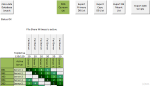
Exchange 2010-2016 Security Fixes


Ex2013 LogoMicrosoft released security updates to fix a remote code execution vulnerability in Exchange Server. The related knowledge base article is KB4018588.

More information is contained in the following Common Vulnerabilities and Exposures articles:

  • CVE-2017-8521 – Scripting Engine Memory Corruption Vulnerability
  • CVE-2017-8559 – Microsoft Exchange Cross-Site Scripting Vulnerability
  • CVE-2017-8560 – Microsoft Exchange Cross-Site Scripting Vulnerability

Depending on the lifecycle status of the product, fixes are made available either through a Rollup or as a security fix for the following product levels:

As you might notice, the security fix is made available for the N-1 builds of Exchange 2013 and Exchange 2016. This could imply the issue was addressed in the latest builds of those products. I hope to receive official confirmation on this soon.

The issue is deemed Important, which means organizations are advised to apply these updates at the earliest opportunity. However, as with any update, it is recommended to thoroughly test updates and fixes prior to deploying them in a production environment.

Exchange and .NET Framework 4.7


Ex2013 Logo A quick heads-up on that .NET Framework 4.7 has recently been released and will be made available through Windows Update channels. The current versions of Exchange Server are not supported with this version of the .NET Framework, and you should not install or update to this version.

Similar to the situation with .NET Framework 4.61 around a year ago, you can prevent  (accidental) upgrades of the .NET Framework by creating the following registry key on your Exchange servers:

HKLM:\Software\Microsoft\NET Framework Setup\NDP\WU\BlockNetFramework47 = 1 (REG_DWORD)

To report on the currently installed .NET Framework version on one or more computers, you can use this PowerShell script, Get-DotNetVersion.ps1. It will not only report the .NET Framework version information, but also if those registry entries to block .NET Framework 4.6.1 or .NET Framework 4.7 upgrades are present.

[PS] C:\> .\get-DotNetVersion.ps1 -ComputerName ex1,ex2 | ft -a

Computer Release NetFramework Net461Block Net47Block
-------- ------- ------------ ----------- ----------
ex1      461268  4.7          False       True
ex2      461268  4.7          False       False

The related article by the Exchange Team on this topic contains steps on how to recover the situation, in case you did upgrade. Of course, with all the dependencies on the .NET Framework by Exchange Server, you may prefer migrating contents to a new Exchange servers with a supported .NET Framework, and decommission servers where you had to remove the unsupported .NET Framework from.

More information can be found in KB4024204.

PS: The updated Unattended Exchange 2013 & 2016 Installation script will now also set the .NET Framework 4.7 blockade registry key.

Exchange Updates – December 2016


Ex2013 LogoToday, the Exchange Team released the December updates for Exchange Server 2013 and 2016, as well as Exchange Server 2010 and 2007.

Changes introduced in Exchange Server 2016 CU4 are an updated OWA composition window, and on Windows Server 2016, KB3206632 needs to be present before CU4 can be deployed. This KB fixes – among other things – the problem with DAG members experiencing crashing IIS application pools. Be advised that the KB3206632 update for Windows Server 2016 is a whopping 1 GB. You can download this update here.

The biggest change for Exchange Server 2013 is support for .NET 4.6.2. Be advised organizations running Exchange 2016 or 2013 on .NET 4.6.1 should start testing with and planning to deploy .NET 4.6.2, as the March updates will require .NET 4.6.2, which is currently still optional.

Both Cumulative Updates introduce an important fix for indexing of Public Folder when they were in the process of being migrated. To ensure proper indexing, it is recommended to move public folder mailboxes to a different database so they will get indexed properly.

The Cumulative Updates also include DST changes, which is also contained in the latest Rollups published for Exchange 2010 and 2007.

For a list of fixes in these updates, see below.

Exchange 2016 CU4 15.1.669.32 KB3177106 Download UMLP
Exchange 2013 CU15 15.0.1263.5 KB3197044 Download UMLP
Exchange 2010 SP3 Rollup 16 14.3.339.0 KB3184730 Download
Exchange 2007 SP3 Rollup 22 8.3.502.0 KB3184712 Download
  • KB 3202691 Public folders indexing doesn’t work correctly after you apply latest cumulative updates for Exchange Server
  • KB 3201358 Set-Mailbox and New-Mailbox cmdlets prevent the use of the -Office parameter in Exchange Server 2016
  • KB 3202998 FIX: MSExchangeOWAAppPool application pool consumes memory when it recycles and is marked as unresponsive by Health Manager
  • KB 3208840 Messages for the health mailboxes are stuck in queue on Exchange Server 2016
  • KB 3186620 Mailbox search from Exchange Management Shell fails with invalid sort value in Exchange Server 2016
  • KB 3199270 You can’t restore items to original folders from Recoverable Items folder in Exchange Server 2016
  • KB 3199353 You can’t select the receive connector role when you create a new receive connector in Exchange Server 2016
  • KB 3193138 Update to apply MessageCopyForSentAsEnabled to any type of mailbox in Exchange Server 2016
  • KB 3201350 IMAP “unread” read notifications aren’t suppressed in Exchange Server 2016
  • KB 3209036 FIX: “Logs will not be generated until the problem is corrected” is logged in an Exchange Server 2016 environment
  • KB 3212580 Editing virtual directory URLs by using EAC clears all forms of authentication in Exchange Server 2016

Exchange 2013 CU15 fixes:

  • KB 3198092 Update optimizes how HTML tags in an email message are evaluated in an Exchange Server 2013 environment
  • KB 3189547 FIX: Event ID 4999 for a System.FormatException error is logged in an Exchange Server 2013 environment
  • KB 3198046 FIX: The UM mailbox policy is not honored when UM call answering rules setting is set to False in an Exchange Server 2013 environment
  • KB 3195995 FIX: Event ID 4999 with MSExchangerepl.exe crash in Exchange Server 2013
  • KB 3208886 Send As permission of a linked mailbox is granted to a user in the wrong forest in Exchange Server 2013
  • KB 3188315 Messages are stuck in outbox when additional mailboxes are configured in Outlook on Exchange Server 2013
  • KB 3202691 Public folders indexing doesn’t work correctly after you apply latest cumulative updates for Exchange Server
  • KB 3203039 PostalAddressIndex property isn’t returning the correct value in Exchange Server 2013
  • KB 3198043 Shadow OAB downloads don’t complete in Exchange Server 2013
  • KB 3208885 Microsoft.Exchange.Store.Worker.exe process crashes after mailbox is disabled in Exchange Server 2013
  • KB 3201966 MSExchangeOWAAppPool application pool consumes excessive memory on restart in Exchange Server 2013
  • KB 3209041 FIX: An ActiveSync device becomes unresponsive until the sync process is complete in an Exchange Server environment
  • KB 3209013 FIX: The LegacyDN of a user is displayed incorrectly in the From field in the Sent Items folder on an ActiveSync device
  • KB 3209018 FIX: Results exported through the eDiscovery PST Export Tool never finishes in an Exchange Server environment
  • KB 3199519 Inconsistent search results when email body contains both English and non-English characters in Exchange Server 2013
  • KB 3211326 “ConversionFailedException” error when emails are sent on the hour in Exchange Server 2013

Notes:

  • Exchange 2016 CU4 doesn’t incldue schema changes compared to CU4, however, Exchange 2016 CU4 as well as Exchange 2013 CU15 may introduce RBAC changes in your environment. Where applicable, use setup /PrepareSchema to update the schema or /PrepareAD to apply RBAC changes, before deploying or updating Exchange servers. To verify this step has been performed, consult the Exchange schema overview.
  • When upgrading your Exchange 2013 or 2016 installation, don’t forget to put the server in maintenance mode when required. Do note that upgrading, before installing the Exchange binaries, setup will put the server in server-wide offline-mode.
  • Using Windows Management Framework (WMF)/PowerShell version 5 on anything earlier than Windows Server 2016 is not supported. Don’t install WMF5 on your Exchange servers running on Windows Server 2012 R2 or earlier.
  • When using Exchange hybrid deployments or Exchange Online Archiving (EOA), you are allowed to stay at least one version behind (n-1).
  • If you want to speed up the update process for systems without internet access, you can follow the procedure described here to disable publisher’s certificate revocation checking.
  • Cumulative Updates can be installed directly, i.e. no need to install RTM prior to installing Cumulative Updates.
  • Once installed, you can’t uninstall a Cumulative Update nor any of the installed Exchange server roles.
  • The order of upgrading servers with Cumulative Updates is irrelevant.

Caution: As for any update, I recommend to thoroughly test updates in a test environment prior to implementing them in production. When you lack such facilities, hold out a few days and monitor the comments on the original publication or TechNet forum for any issues.

Exchange Server Role Requirements Calculator 8.3


Exchange 2010 Mailbox Role Sizing Calculator 16.4The Exchange team published an update for the Exchange Server Role Requirements Calculator, the tool to aid you in properly sizing your Exchange Server 2013 or Exchange Server 2016 deployment.

The new version number is 8.3, and it contains two major enhancements compared to version 7.9:

  • Added ability for the calculator to automatically determine the number of Mailbox servers and DAGs that need to be deployed to meet the chosen input requirements
  • Added Read from Passive support for Exchange 2016 deployments which results in decreased bandwidth utilization for HA copies

You can download the calculator here. For more information, please consult the list of changes here or Read Me here.