In an earlier article here, I mentioned which Outlook 2010 versions were eligible for Personal Archives.
Now, with the release of Office 2013, and Outlook 2013 in particular, it’s good to get an update on the Outlook versions and their support of Personal Archives and Retention Policies in Exchange Server 2010 or Exchange Server 2013.
The following Outlook versions support Personal Archives and Retention Policies:
Retail Licenses
Volume Licenses
Outlook 2013 stand-alone
Outlook 2010 stand-alone
Outlook 2007 stand-alone
Outlook 2007 included with Microsoft Office Ultimate 2007
Outlook 2013 stand-alone
Outlook 2013 included with Microsoft Office Professional Plus 2013
Outlook 2010 stand-alone
Outlook 2010 included with Microsoft Office Professional Plus 2010
Outlook 2007 stand-alone
Outlook 2007 included with Microsoft Office Professional Plus 2007
Outlook 2007 included with Microsoft Office Enterprise 2007
Few notes:
As mentioned here, Outlook 2007 doesn’t support adjusting retention policies;
Personal Archives and Retention Policies require an Microsoft Exchange Server Enterprise Client Access License.
The KB article reads that, “This update resolves an issue in which the digital signature on files that are produced and signed by Microsoft expires prematurely as described in Microsoft Security Advisory 2749655.” However, that should have already been fixed already in the v2 updates (refer to the same Security Advisory).
The Exchange Versions, builds & dates page has been updated accordingly, including updated product version numbers.
With all this subversioning of rereleases, one may wonder why they didn’t release Rollup 5 for Exchange as Rollup 4 v3, which perhaps would be less confusing.
On October 31st, the NGN – a Dutch society for IT professionals – held its 3rd Exchange themed event, this time at The Reehorst in Ede (NL). Because of the recently released Exchange 2013 and all the news and related questions, we planned for a whole day of sessions and it was nice to see the turn up was nearly 100 IT professionals.
Since all people would still be on pre-2013 versions of Exchange, I figured a presentation using real-world Exchange 2010 Tips and Tricks might be more appropriate. I was glad a quick poll amongst the attendees showed a significant increase in Exchange 2010 deployments (around 80%) when compared to last year’s event, but as expected there’s still some Exchange 2007 and few Exchange 2003 out there.
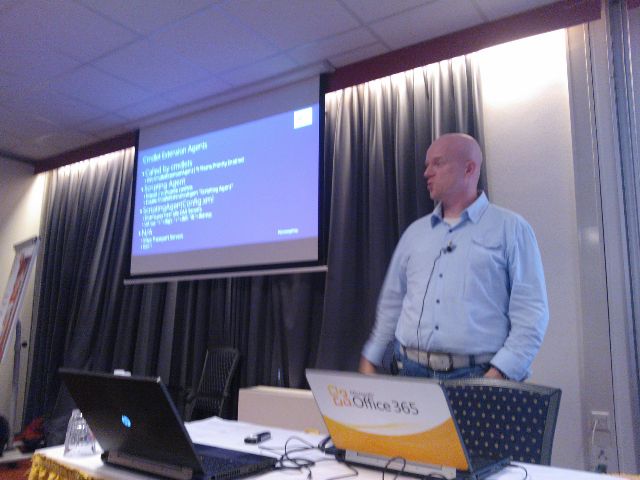
I decided to stick with two deep-dive topics, which were Message Trackings Logs and Cmdlet Extension Agents. On those topics I went from basics to more advanced examples, hoping it would ignite people with no experience and people with experience could still pick up a thing or two.I’m still waiting for evaluation results, the only way to get feedback from these sessions apart from the occasional e-mail or tweet.
(picture by Dave Stork)
You can find my presentation here (partially Dutch) and the accompanying sample script on Message Tracking Logs here and the one on Cmdlet Extension Agents here (script); the ScriptingAgent.xml file can be downloaded here.
As always, these events are also a time to catch up with fellow Exchange people and discuss topics with attendees during the breaks. There were even Exchange fellows present who didn’t have a session, like Johan Veldhuis (MVP) and Maarten Piederiet (MCM); they did join in on the Q&A Panel.
The sessions and speakers were:
Introduction (Jaap Wesselius, MVP)
Building with Exchange 2013: Architecture (Dave Stork)
Exchange and Virtualisation (Jetze Mellema)
Exchange 2010 Tips & Tricks (Ashley Flentge, MCM & Michel de Rooij)
Exchange 2013 Coexistence and Migrations (Kay Sellenrode, MCM and MCA)
Exchange and Load Balancing (Jetze Mellema)
Q&A Panel
The NGN published all presentations in a single ZIP file which can be downloaded here. Unfortunately, NGN didn’t record the sessions so I can’t share those with you. They did record the Q&A Panel session; you can view it here (in Dutch):
PS: When you see references to “exchangedag”, like in the Twitter hashtag, you need to know “dag” means day in Dutch; it’s no form of professional deformation.
If you’ve got a TechNet or MSDN subscription, you can get the RTM bits of Exchange Server 2013, Lync Server 2013, Office 2013 Professional Plus and Sharepoint 2013 NOW!
With the RTM bits available, you can start testing the product itself as well as compatibility with 3rd party products or in-house developed solutions. Be advised that a schema update is required to support Exchange Server 2013.
Finally, the updates for Exchange Server 2007 and Exchange Server 2010 required for co-existence are still not available. Exchange 2010 SP3 is expected first half of 2013; no details have been disclosed on the update for Exchange Server 2007.

 In an earlier article here, I mentioned which Outlook 2010 versions were eligible for Personal Archives.


 EighTwOne (821)