
 Note: If you are looking for the script to download Ignite contents, you can find it at the TechNet Gallery or Github.
It shouldn’t be a surprise to you, but this is the week of Ignite 2019 in Orlando, where Microsoft and other speakers will not only tell you about the latest and greatest, and how to implement recent products and use their technologies, but also draw more of the roadmap of things to come. Unfortunately, I won’t be attending Ignite (again), but similar to last year Microsoft will be live streaming keynotes, breakouts as well as theater sessions. So, you can watch stuff as it happens in the comfort of your own home or on-demand at a later time.
To access the catalog, including live streams, you can of course dive in the 1981 sessions located on the Ignite portal. Details on sessions, speakers etc. as well as filtering options are already present to help you pick what to watch, and recorded media will be added as it becomes available, including slidedecks.
For your convenience, I made a short list of sessions on Exchange Server, related technologies such as Outlook Mobile but also Teams and Groups, as well as some potentially interesting IT Pros sessions on Graph:
Note that the table above was constructed using the Get-EventSession script. I’ll be closely monitoring things this week to try to make sure it can retrieve Ignite contents as it gets published and cope with any changes in publishing as happened in recent years during the event.

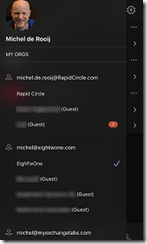

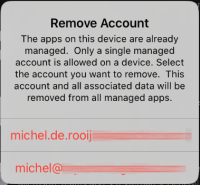 Note that you cannot configure more than one account which has Intune App Protection configured. If you already have an IAP-enabled account and another gets IAP enabled, Teams requires you to pick one of the IAP accounts to be removed from the Teams app configuration.
 EighTwOne (821)